
Comprehensive Guide to SharePoint On-Premises to Online Migration
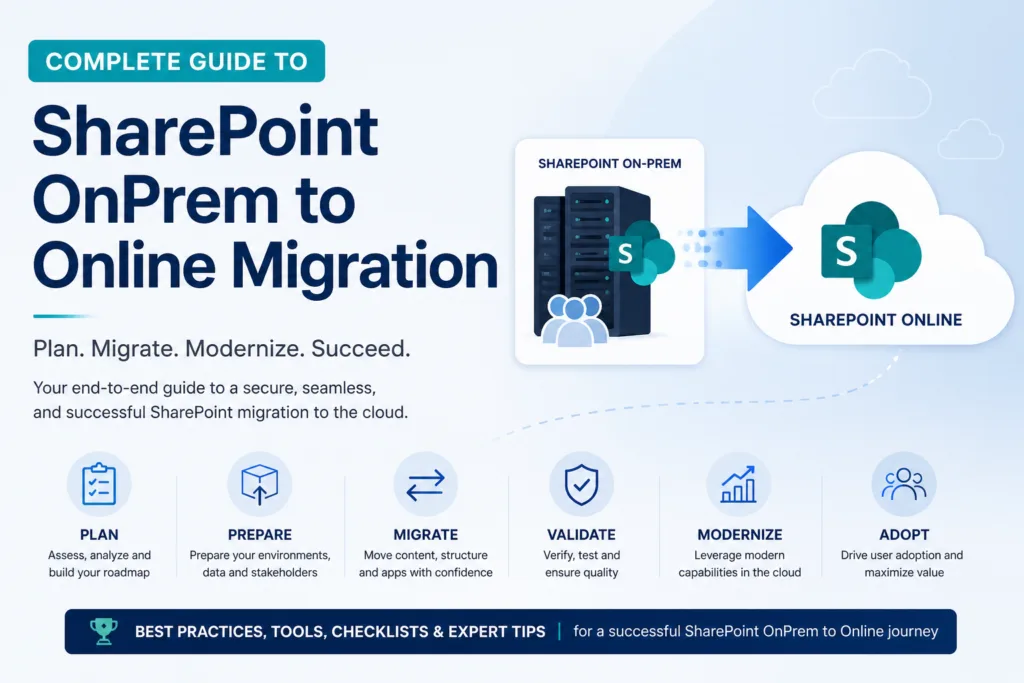
Migrating from SharePoint OnPrem to online migration is a vital step for organizations seeking enhanced agility, security, and scalability. In this comprehensive guide, you will learn the benefits, best practices, and steps involved in making this transition smoothly. Whether you are a CIO, IT manager, or business leader, this article will equip you with the knowledge to modernize your SharePoint environment.
Benefits of SharePoint On-Premises to Online Migration
Migrating your SharePoint setup can unlock numerous advantages that go beyond just cloud storage. Here’s why you should consider this migration:
1. Eliminate Infrastructure Overhead
Managing on-premise file servers often involves high costs related to hardware upgrades, maintenance contracts, and licensing fees. By moving to SharePoint Online, you can:
- Reduce IT costs associated with server maintenance.
- Minimize downtime due to automatic updates and patches.
2. Enhanced Security and Compliance
With SharePoint Online, Microsoft takes care of security updates and compliance measures, ensuring your data is protected against threats. This is particularly crucial for organizations in regulated industries.
3. Improved Collaboration and Accessibility
SharePoint Online allows users to collaborate in real-time from anywhere. This flexibility leads to:
- Increased productivity.
- Enhanced team collaboration.
SharePoint OnPrem Migration Best Practices
To ensure a successful migration, follow these best practices:
1. Conduct a Thorough Assessment
Before initiating the SharePoint OnPrem to online migration, assess your current environment. Identify:
- What content needs to be migrated?
- What customizations exist?
2. Develop a Migration Strategy
Your SharePoint migration guide should include:
- A timeline for the migration process.
- Roles and responsibilities for team members.
3. Create a SharePoint OnPrem to Online Migration Checklist
A checklist will help you stay organized. Key items include:
- Backup current data.
- Test the migration process with a small dataset.
- Prepare user training materials.
Steps for SharePoint OnPrem to Online Migration
Migrating your SharePoint environment can be broken down into several key steps:
Step 1: Planning
- Define the scope of the migration.
- Identify stakeholders and create a communication plan.
Step 2: Choosing the Right Tools
Select the best tools for SharePoint migration. Some popular options are:
- ShareGate
- Metalogix
- Microsoft’s own migration tools
Step 3: Executing the Migration
- Begin with non-critical data to test the process.
- Monitor the migration for any issues.
Step 4: Post-Migration Review
After migration, conduct a review to:
- Ensure all data has been transferred.
- Gather user feedback for improvements.
Conclusion
Migrating from SharePoint OnPrem to online migration is not just a technical upgrade; it’s a strategic move that can enhance your organization’s efficiency, security, and collaboration capabilities. By following the outlined best practices and steps, you can ensure a smooth transition. Ready to start your migration journey? Contact us today for expert assistance!
Frequently Asked Questions
What is SharePoint Online migration?
SharePoint Online migration refers to the process of transferring data, documents, and other content from SharePoint On-Premises environments to SharePoint Online, a cloud-based service.
Why should I migrate from SharePoint OnPrem to Online?
Migrating to SharePoint Online offers numerous benefits such as reduced costs, enhanced security, and improved collaboration, making it a strategic choice for many organizations.
What are the challenges in SharePoint OnPrem to Online migration?
Common challenges include data loss, downtime during migration, and user resistance to change. Proper planning and communication can mitigate these issues.
What tools can I use for SharePoint migration?
Some of the best tools for SharePoint migration include ShareGate, Metalogix, and Microsoft’s built-in migration tools, which provide various features for a seamless transition.
How do I plan my SharePoint migration to online?
Planning your migration involves assessing your current environment, defining the scope, selecting migration tools, and creating a detailed checklist to guide the process.